Logo
Login Signup
Ads Buy Credit +Add Business Get Leads Login

How to Convert Videos from Any Format to Mp4 For Free

The tool ( Online Video Converter website ) fileconverter.digital is free, supports large files and runs directly from the browser.


Information Technology
May 30, 2021
US
 UBIC Solutions
Share on

How to Convert Videos from Any Format to Mp4 For Free

In Times of YouTube, we’ve never been more closely related to videos as we do these days. No matter if you’re a pro or an amateur, it’s certain that if you’ve never messed with video files, sooner or later you will.

And it is precisely when we put our hands in the dough that we come across a wide of formats, which need to be manipulated and converted to certain formats in order to save space on the hard drive or simply be played on a specific device.

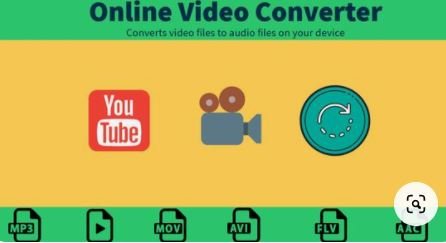
Out of all video formats available, MP4 is the most widely used format out there. This video format also suitable for most devices. So, many people may want to convert their videos to MP4, and it is possible with the Online Video Converter website. Here, I’ll discuss one of the best free tools of its kind with you.  

The tool fileconverter.digital is free, supports large files and runs directly from the browser. Thus, it does not require the installation of any programs on the computer, nor does it require a login. To use the converter, just select the video, choose the output format and download the modified file, in the extension and quality configured.

In the following tutorial, I’m going to show you how to use the fileconverter.digital site to convert videos of any format to MP4 for free from your PC. For best performance, you can use the procedure in Chrome, but it can be used to other browsers as well.

How to convert video to mp4

Step 1: Go to the fileconverter.digital website (convert-video-online.com/en) and click “Open File” to locate the video you want to convert. Note that you can also open a file from Google Drive, Dropbox or URL;

Step 2: Now find out the specific video format from the drop down menu and select the “mp4” option.

Step 3: After making the desired settings, click “Convert” and wait until the process is finished;

Step 4: When you are done, click “Download” to download the converted video file to mp4 format.

Enjoy the tips on how to use Online Video Converter to convert videos for free without installing anything on your PC.


Leave a Reply

You must be logged in to post a comment.


Featured Businesses

Book A Mover

1 Parkfield, London, SW15 6NH

GoSolarQuotes

232A Glebe Point Rd Glebe NSW 2037

Port Orange Screens

118 WOOD GATE DR, PORT ORANGE, FL 32129

Rubbish Removal UK

1 Coldbath Square, London EC1R 5HL

Qhub360

Rietdekker 24


Category

Shop(3)
Vehicle(5)
Other Businesses and Services(9)
Arts(1)
Computers(1)
Games(4)
Health and Medical(10)
Home(11)
Internet(1)
Recreation(5)
Shopping(1)
Software(7)
Sports(5)
Information Technology(31)
Hotels, Tours, Travels(7)
Education(7)
Real-Estate(3)
eCommerce(9)
Food(3)
Attorney(2)
Moving, Packing and Storage Services(2)
Plumber(2)
Other Suppliers(1)
Pet(5)
Home Care(1)
Banking And Finance(13)
Electronics(5)
Wellness And Fitness(4)
Repair And Maintenance(6)
Clothing(7)
Occasions and Gifts(3)
Community Services(1)
Worship(1)
Baby Care(1)
Marketing(5)
Digital Marketing(13)
Beauty and skin care(3)
Web Design & Apps Development(1)
Graphics Design(2)
Freelancing(2)
Photography & Videography(2)
Rental(2)
Law and Legal Services(9)
Locksmiths(1)
Painters(1)
Dental Care(1)
Suppliers - Machinery, Industrial Parts and Tools(1)
Suppliers - Packaging and Printing(1)
Suppliers - Other Service Equipment(1)
Suppliers - Health and Medical Equipment(1)
Suppliers - Restaurant and Hotel Service Equipment(1)
Suppliers - Cargo and Storage Equipment(1)
Suppliers - Gifts, Arts and Crafts(2)
Suppliers - Metal, Machine, Moulds Fabrication Services(1)
Logistics, Transport, Air Freight Business Services(2)
Cleaning Services(2)
Safety and Security(6)
Footwear(1)
CBD(1)
Gyms(1)
Artificial intelligence AI Tools(4)


Tags


Convert MP4 to WEBM Convert WEBM to MP4 File Converter fileconverter.digital Online Video Converter website

About Us

TRUEen is a growing business community providing online search facilities of companies around the world. We help businesses showcase their products and services to generate authentic leads in the digital world. Unlike conventional directories, TRUEen will list sites of all sizes, be it personal, NGO or commercial.

Our focus is to provide services to both website owners and visitors looking for business leads who are interested in the product or service they offer.

Quick Links

  • Add Your Business
  • About Us
  • Blog
  • Terms & Conditions
  • Privacy Policy
  • Local Seo Services
  • Business List
  • Contact Us
  • Local Citation Building
  • Search Leads
  • How to Claim Your Listing?

Where to find us

US Address:
1164 Cromwell Avenue
Bronx, NY 10452, USA.
Germany Address:
Saarstr 34, 47058 DUISBURG
Düsseldorf , Germany

 +880 1756-230219

info@trueen.com
support@trueen.com

Find us

  • Facebook
  • Twitter
  • Linkedin

©2015 - 2025 TRUEen.com, All Rights Reserved